Settings
Three knobs, each read on the path it describes: the default plan, open registration, moderation on every save, and maintenance mode.
What a setting is here
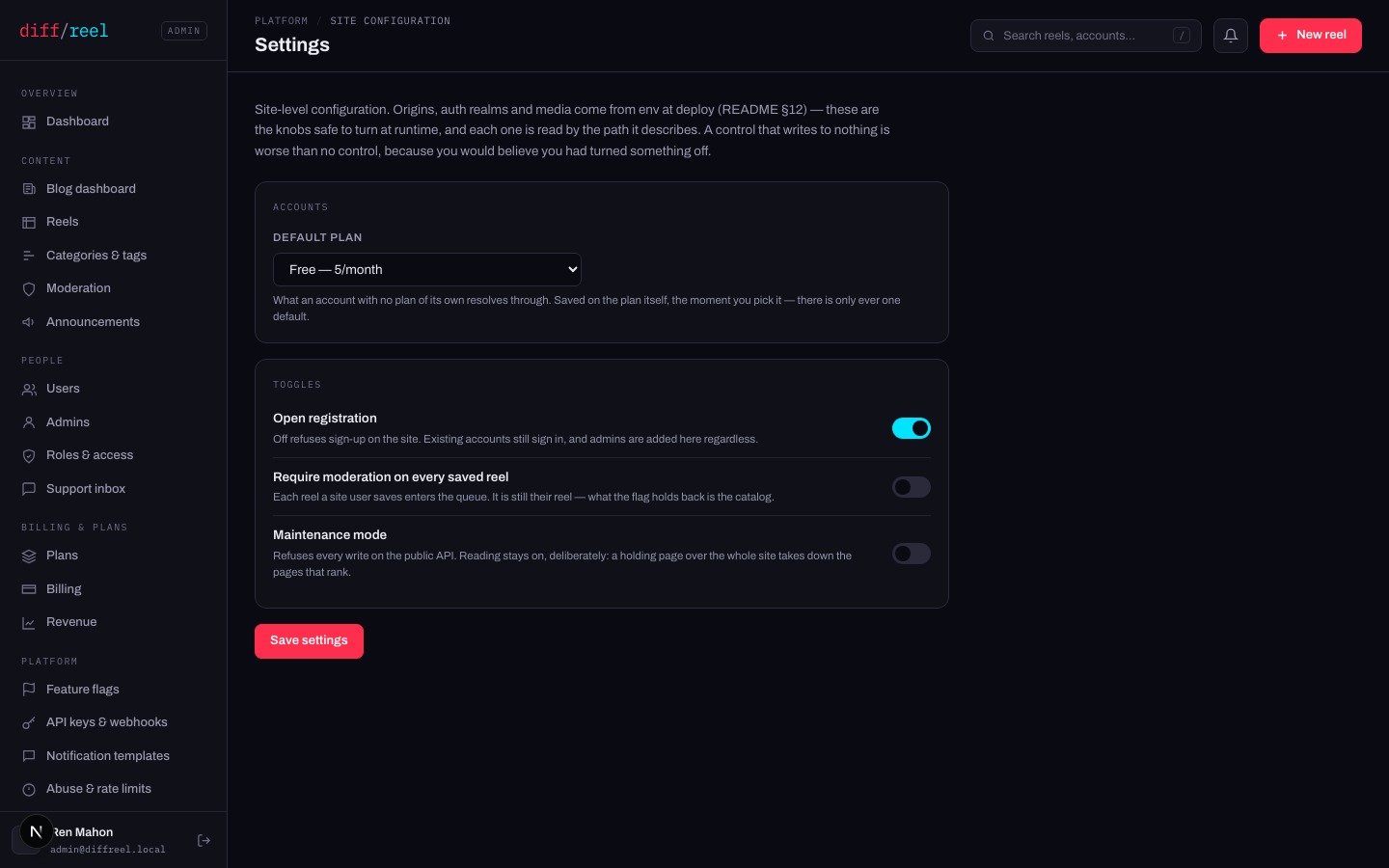
Every control here is read by the path it names. Two settings shipped and were removed because they wrote to nothing — a control that looks like it works and does not is worse than no control, because you would believe you had turned something off.
Open registration
- What changes
- Sign-up on the public site is refused. Existing accounts sign in exactly as before, and admins are added here regardless.
- Who sees it
- Anybody arriving at /register — they get a page that says registration is closed, rather than a form that takes their details and then refuses.
- When to do it
- An abuse wave, a private beta, or a launch you are not ready for.
- How to undo it
- Turn it back on. It takes effect within seconds — the setting is read uncached on the sign-up path, deliberately.
Require moderation on every saved reel
- What changes
- Every reel a site user saves from now on enters the moderation queue.
- Who sees it
- Every author — their own reels page shows the hold. And you: the queue fills at the rate people save.
- When to do it
- A wave you are actively working through. Not as a standing policy unless somebody is standing by the queue.
- How to undo it
- Turn it off. Reels already queued stay queued — clear them or leave them; the hold shows the author either way.
It is still their reel: the flag holds it back from the catalog, which is a path that does not exist yet. Nothing is taken away from them.
Maintenance mode
- What changes
- Every write on the public API is refused, and the playground, your-reels, the account screen, sign-in and register show a holding page. Reading stays on.
- Who sees it
- Every signed-in user immediately — anything they had not saved is still in their browser, but they cannot save it.
- When to do it
- A migration or a deploy that would corrupt a concurrent write. Keep the window short and put an announcement up first.
- How to undo it
- Turn it off. It clears within seconds; nothing has to be rebuilt.
The published reels, the listings, the author pages, the feed and the sitemap keep serving throughout — they are cached and need no database. A holding page over the whole site would take down the pages that rank in order to run a migration none of their readers are affected by.
If the service cannot be reached, the site behaves as if maintenance is off. That is on purpose — a bad minute must not raise a holding page on its own — but it means you cannot rely on this switch as a safety interlock. Verify the holding page is actually up before you start the migration.
Default plan
The same control as Make default on Plans, and the same one row underneath — there is only ever one default. Its blast radius is described under Plans → The default plan; read that before changing it here.