Admins, roles and access
Adding a colleague, what each role may do, the one demotion the panel refuses, and why an admin is disabled rather than deleted.
Two realms, and they never meet
An admin signs in here. A site user signs in on the public site. They are separate accounts in separate tables with separate cookies and separate secrets — nothing a site user holds opens this panel, and an admin account is not a site account.
An admin is also an author: each one has a public profile at /authors/<slug>, and their name is the byline on everything they publish to the blog.
Adding an admin
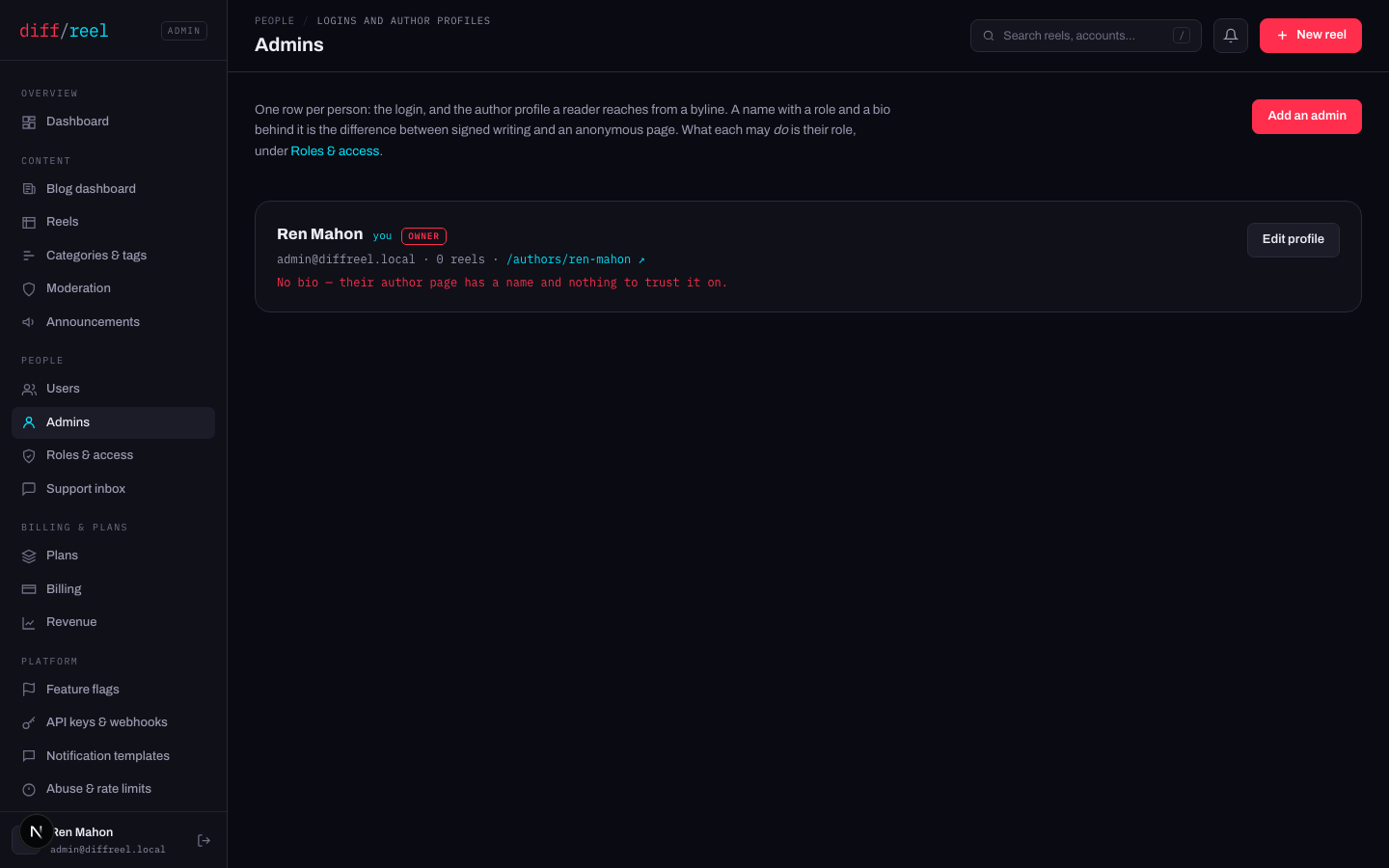
Add an admin
Admins → Add an admin. Name, address, password.
Give them a role
The create form has no role picker, so a new admin arrives on the default role. Go to Roles & access and set theirs before they sign in.
Give them a bio
Edit profile. An author page with a name and nothing to trust it on is a page a reader bounces off; the screen flags the missing bio in red for that reason.
- What changes
- A login for this panel, and a public author page at /authors/<slug>.
- Who sees it
- The new admin, every other admin, and — once they publish — every reader.
- When to do it
- Somebody needs to publish, moderate or operate. Not for read-only access to a number: send them the number.
- How to undo it
- Disable the account on Admins. Deleting one is deliberately not offered — the byline on everything they published has to keep resolving.
Who can do what
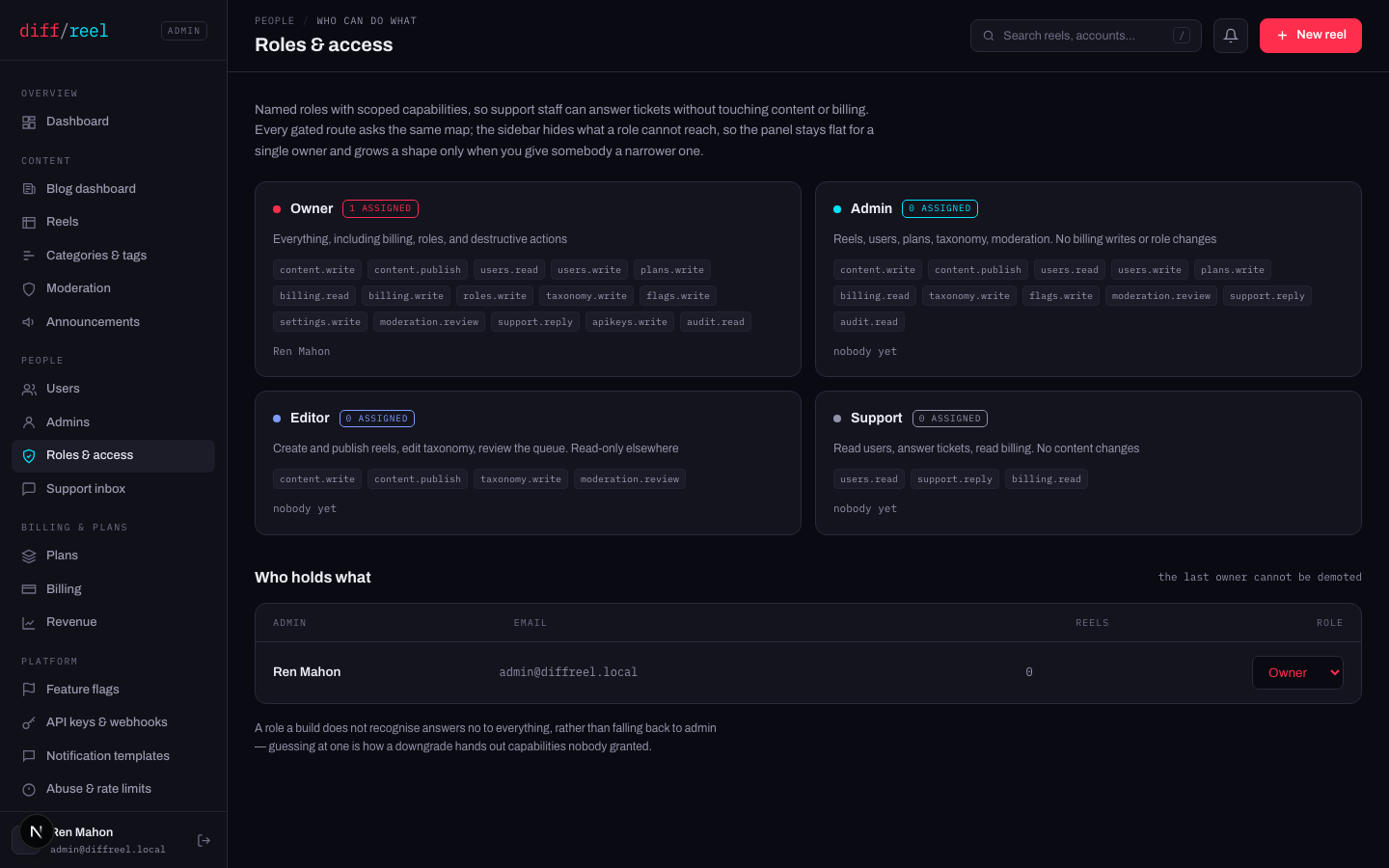
| Role | What it is for |
|---|---|
| Owner | Everything, including billing, roles, and destructive actions |
| Admin | Reels, users, plans, taxonomy, moderation. No billing writes or role changes |
| Editor | Create and publish reels, edit taxonomy, review the queue. Read-only elsewhere |
| Support | Read users, answer tickets, read billing. No content changes |
And exactly, capability by capability — this table is generated from the same map every gated route asks, so it cannot promise access the server refuses:
| Capability | Owner | Admin | Editor | Support |
|---|---|---|---|---|
content.write | ● | ● | ● | · |
content.publish | ● | ● | ● | · |
users.read | ● | ● | · | ● |
users.write | ● | ● | · | · |
plans.write | ● | ● | · | · |
billing.read | ● | ● | · | ● |
billing.write | ● | · | · | · |
roles.write | ● | · | · | · |
taxonomy.write | ● | ● | ● | · |
flags.write | ● | ● | · | · |
settings.write | ● | · | · | · |
moderation.review | ● | ● | ● | · |
support.reply | ● | ● | · | ● |
webhooks.write | ● | · | · | · |
audit.read | ● | ● | · | · |
admins.write | ● | · | · | · |
nodes.write | ● | · | · | · |
The sidebar hides what a role cannot reach, so the panel stays flat for a single owner and grows a shape only when somebody is given a narrower role.
Changing somebody’s role
- What changes
- What they may call, and what the sidebar shows them. It takes effect on their next request — they do not need to sign in again.
- Who sees it
- That admin. Everyone else sees the change on Roles & access and in the audit log.
- When to do it
- Their job changed. Narrow first and widen on request — a role is easier to grant than to explain.
- How to undo it
- Set the old role back. Nothing they did under the wider role is reversed by it.
owner is the only role holding roles.write. Demoting the last one would lock every remaining admin out of ever granting it again, so the panel refuses. Promote a second owner first.
When somebody leaves
- What changes
- They can no longer sign in. Their author page, their byline and everything they published stay exactly as they are.
- Who sees it
- Them, at the sign-in screen.
- When to do it
- Somebody leaves, or an account is suspected of being compromised.
- How to undo it
- Enable it again. Nothing about the account was destroyed.
- Deleting an admin is not offered, on purpose — the byline on published work has to keep resolving, and the audit log keeps their name whatever happens to the account.
- If the account might be compromised, disable it and read Audit log filtered to that actor. That is what it is for.