Plans
The monthly limit, the ninety capabilities behind each plan, the default plan, and the two deletions the panel refuses.
What a plan is
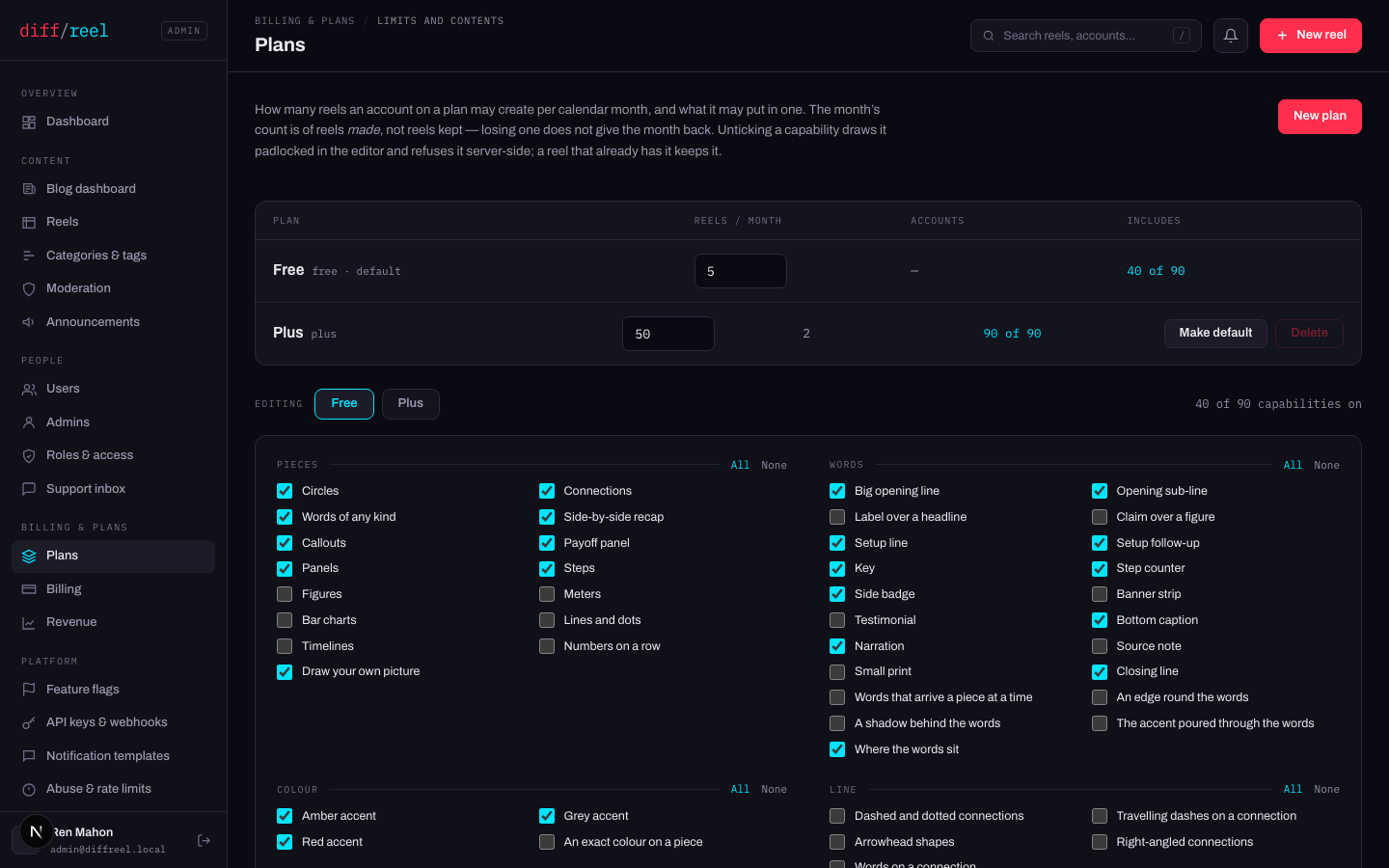
Two things, and both are rows rather than code:
- How many reels a month an account on it may make. The count is of reels made, not kept.
- Which of ninety capabilities it includes. A capability is something a person can point at in the editor — a kind of piece, an accent, a way of moving.
Changing the monthly limit
- What changes
- The number every account on that plan is measured against, from their next save.
- Who sees it
- Everyone on the plan — the counter in their editor and on their account page reads against the new number.
- When to do it
- You are changing what the plan is worth. For one person, move that person to another plan instead.
- How to undo it
- Type the old number back. Lowering it below what somebody already spent reads as “none left” and never as a negative allowance — nothing is taken from them retroactively.
The capability map
Pick a plan under Editing, then tick. The counter on the right reads 40 of 90 capabilities on, and each group has All and None.
- What changes
- The control is drawn with a padlock in the editor for everyone on that plan, and a save that would add more of it is refused server-side.
- Who sees it
- Everyone on the plan, on their next page load.
- When to do it
- You are defining what a plan is. It is a pricing decision, not a fix for one account.
- How to undo it
- Tick it back. Anything drawn while it was on is unaffected either way — a reel keeps what it already has.
The rule is keep and edit what you already had; never add more of it. Unticking a capability does not break a single existing reel: it stops new ones gaining it, and it stops an existing one gaining a second. Removing something from a reel is always allowed, on every plan.
A plan with no capabilities at all is a plan on which nothing saves. Some are not gateable for exactly that reason — the backdrop, the two brand accents, the beat roles and the five original entrances have no checkbox, because a plan that could revoke them would be a plan on which a reel cannot exist.
The default plan
What an account with no plan of its own resolves through — which is every account at the moment it registers. Set it with Make default on the plan row, or on Settings. There is only ever one.
- What changes
- Every account that has never been given a plan of its own moves to it, at once — its limit and its capabilities both.
- Who sees it
- Every one of those accounts, on their next save and their next page load.
- When to do it
- You are changing what a free account is. Understand the blast radius first: this is usually most of your users.
- How to undo it
- Promote the old one back. Nothing anybody drew is affected — the ratchet holds in both directions.
| The panel refuses to… | Because |
|---|---|
| Delete the default plan | Every account with no plan of its own resolves through it. Promote another first. |
| Delete a plan with accounts on it | The accounts would move somewhere nobody chose. Move them off it first. |
| Leave the site with no default | Every save would answer “no plan”. You change the default by promoting another, never by clearing one. |