Billing and revenue
Paddle prices, subscriptions, the ledger, reconciliation, and the difference between what a price says and what a subscriber pays.
Where the money lives
Paddle is the merchant of record. Cards, tax, receipts and dunning are its problem, and no card detail ever touches this origin. This panel holds our side: what is for sale, who is subscribed, what was paid, and the reconciliation that repairs the two when a webhook goes missing.
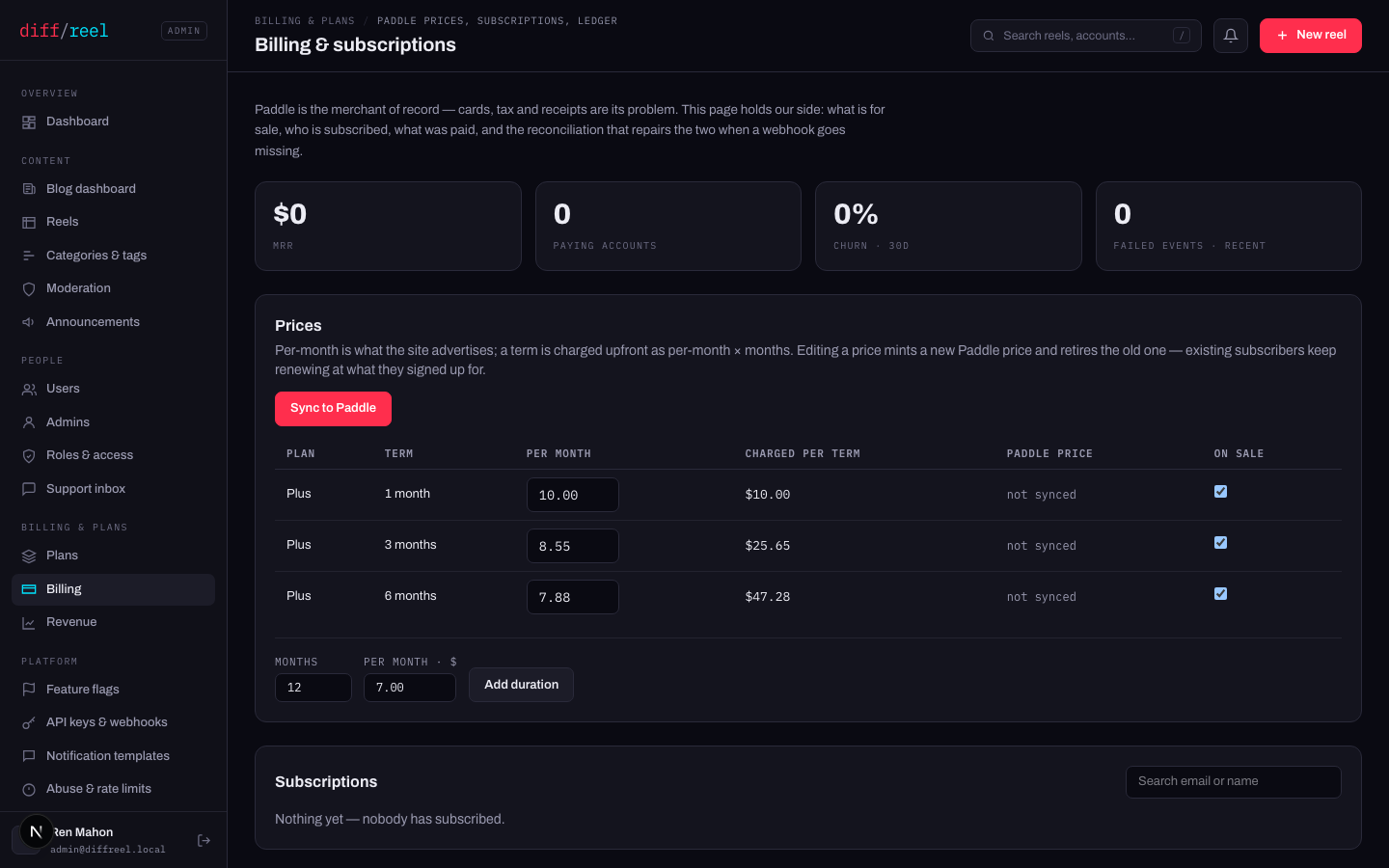
Prices
- What changes
- A new Paddle price is minted and the old one is retired. The site advertises the new number from the next page build.
- Who sees it
- Everyone on /pricing and at checkout. Existing subscribers keep renewing at what they signed up for.
- When to do it
- You are changing what the plan costs. It is not retroactive and it is not a way to give one person a discount.
- How to undo it
- Edit it back — which mints another new price. The old price row is retired, not restored, and nobody's renewal ever moved.
- What changes
- Pushes this environment’s prices into the Paddle account it is pointed at. Idempotent — running it twice does the same thing once.
- Who sees it
- Nobody, until a checkout opens. Until a price is synced, checkout for it cannot open.
- When to do it
- Bootstrapping an environment, or after adding a duration. Run it and then check the row no longer says “not synced”.
- How to undo it
- Nothing to undo — it is a push of what is already here. Fix a wrong price by editing it and syncing again.
A sync pushes into whichever Paddle account this deployment is configured for. Check which one you are on before pressing it in anger.
Subscriptions and the ledger
The subscriptions table is our cache of Paddle's state plus the two numbers we own: when access expires, and whether the sweep has claimed it. The ledger below it is every completed payment — the same rows the user sees as their invoices.
- What changes
- When that subscription's access expires. Everything downstream — the plan, the quota, the padlocks — follows it.
- Who sees it
- That account. Their account page shows the new “Plus until” date in their own timezone.
- When to do it
- A goodwill extension, or repairing a case reconciliation cannot see. Reach for reconciliation first.
- How to undo it
- Set the date back, or run reconciliation — which recomputes it from live Paddle state and will overwrite your override.
- What changes
- When Paddle bills them next — in Paddle. Nothing is charged or credited for the change itself, and their access is extended to cover the new date.
- Who sees it
- That person: their next charge lands on the new date, and their account page shows the later “Plus until”.
- When to do it
- A goodwill month, or a renewal that has to line up with something. Press Preview first — it is Paddle's own answer about the money, not ours.
- How to undo it
- Move it back, the same way. Paddle holds the date either way, so nothing here drifts out of step with it.
Period start and access ends are ours: they decide what we honour, the sweep obeys them, and they change nobody's bill. Next renewal is Paddle's: it has its own button because moving it is a call to Paddle, and a refusal there leaves this screen unchanged rather than holding a date Paddle disagrees with. Paddle declines near a renewal, and while a subscription is paused, past due or cancelled.
- What changes
- Cancels at Paddle immediately so nothing is charged again, then puts the account back on the default plan. The window is closed on the spot rather than at the next sweep.
- Who sees it
- That person — their plan drops to the default and they are emailed that it changed.
- When to do it
- They must stop paying and stop being on the plan today. For a plan you gave, this is simply how you take it back early.
- How to undo it
- Nothing here. A new subscription is a new checkout; a refund is Paddle's dashboard, which is also the only place money moves.
Ending a bought subscription refuses outright without a Paddle API key rather than doing half the job. Revoking somebody's access while their card keeps being charged is worse than doing nothing. A plan you gave has no Paddle side and ends with no key at all.
A sweep, at the expiry date. A cancellation does not revoke immediately — access runs to the end of what was paid for. A refund or chargeback clamps the window to now. If Paddle is unreachable, access is left alone: a bad minute somewhere else must not take somebody's toolbox away. End subscription above is the one deliberate exception, and it makes the same claim the sweep would.
Reconciliation
Runs nightly, and on demand from this screen. It repairs both directions against live Paddle state:
| Case | What it does |
|---|---|
| Paid but never activated | Grants the plan. |
| Gone, and past the window | Revokes, with the sweep’s own claim. |
| A subscription we never heard of | Recreates it whole. |
| Unmappable to an account | Reports it as an orphan for a person to look at. |
- What changes
- Plans, access dates and subscription rows, wherever they disagree with Paddle.
- Who sees it
- Any account it repairs — a granted plan appears for them at once.
- When to do it
- Somebody paid and did not get their plan; a webhook delivery failed; after a Paddle incident.
- How to undo it
- Nothing, and nothing to undo — it moves rows towards Paddle's own truth. It also overwrites manual date overrides, which is usually the point.
Revenue is the read-only view over all of it: trend, plan mix, conversion, refunds. Nothing on it changes anything.