Flags, keys, mail and limits
The four platform screens: which of them do something today, which are honest editors for a table nobody reads yet, and what each costs to get wrong.
Feature flags
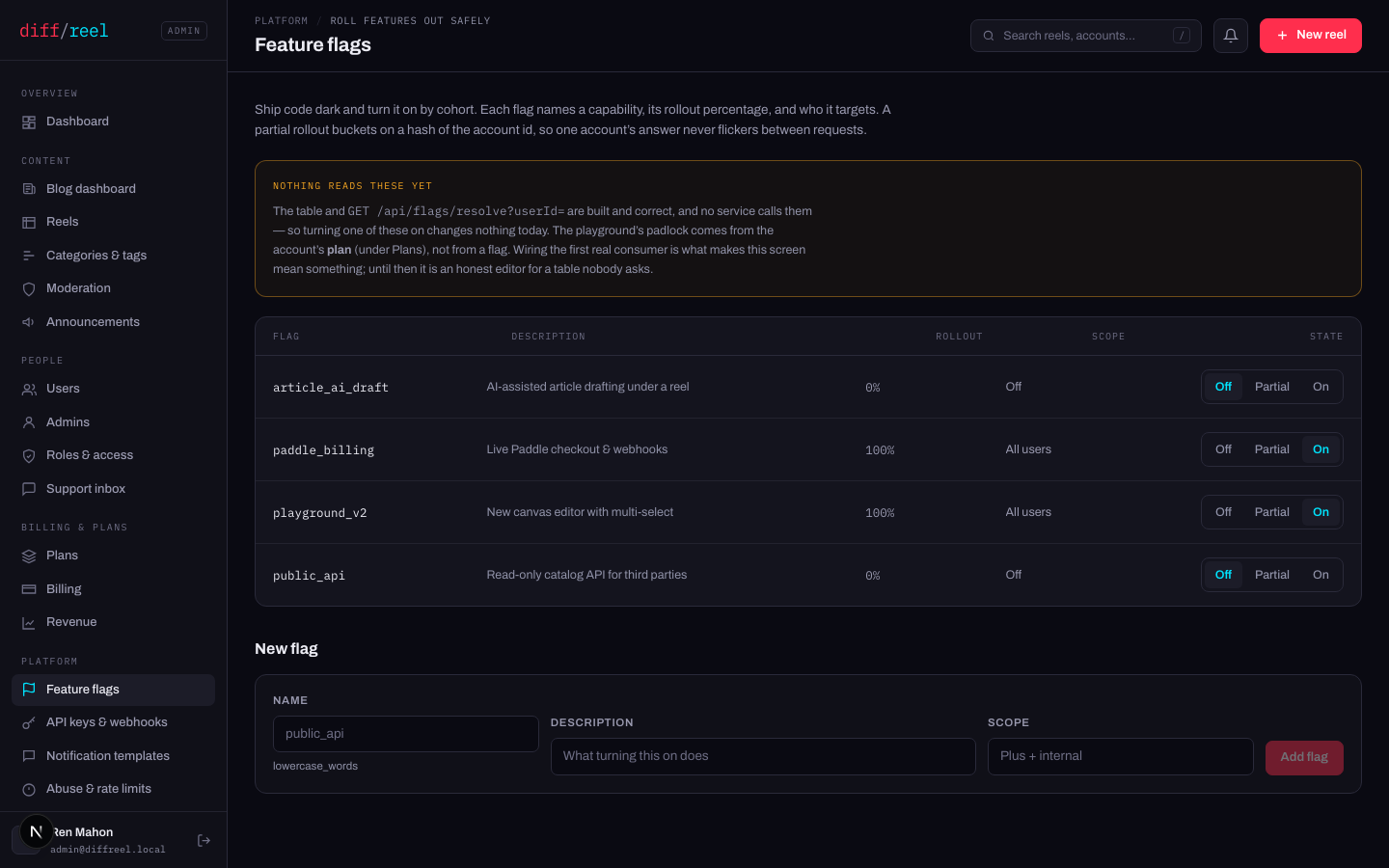
A partial rollout buckets on a hash of the account id, so one account's answer never flickers between requests. That part is correct and tested; it is the reader that is missing.
- What changes
- The row, and the answer the resolver would give. Nothing else, until a service is wired to ask.
- Who sees it
- Other admins, here.
- When to do it
- Preparing a rollout, or recording an intent. Do not use it as an incident switch — nothing is listening.
- How to undo it
- Flip it back.
API keys and webhooks
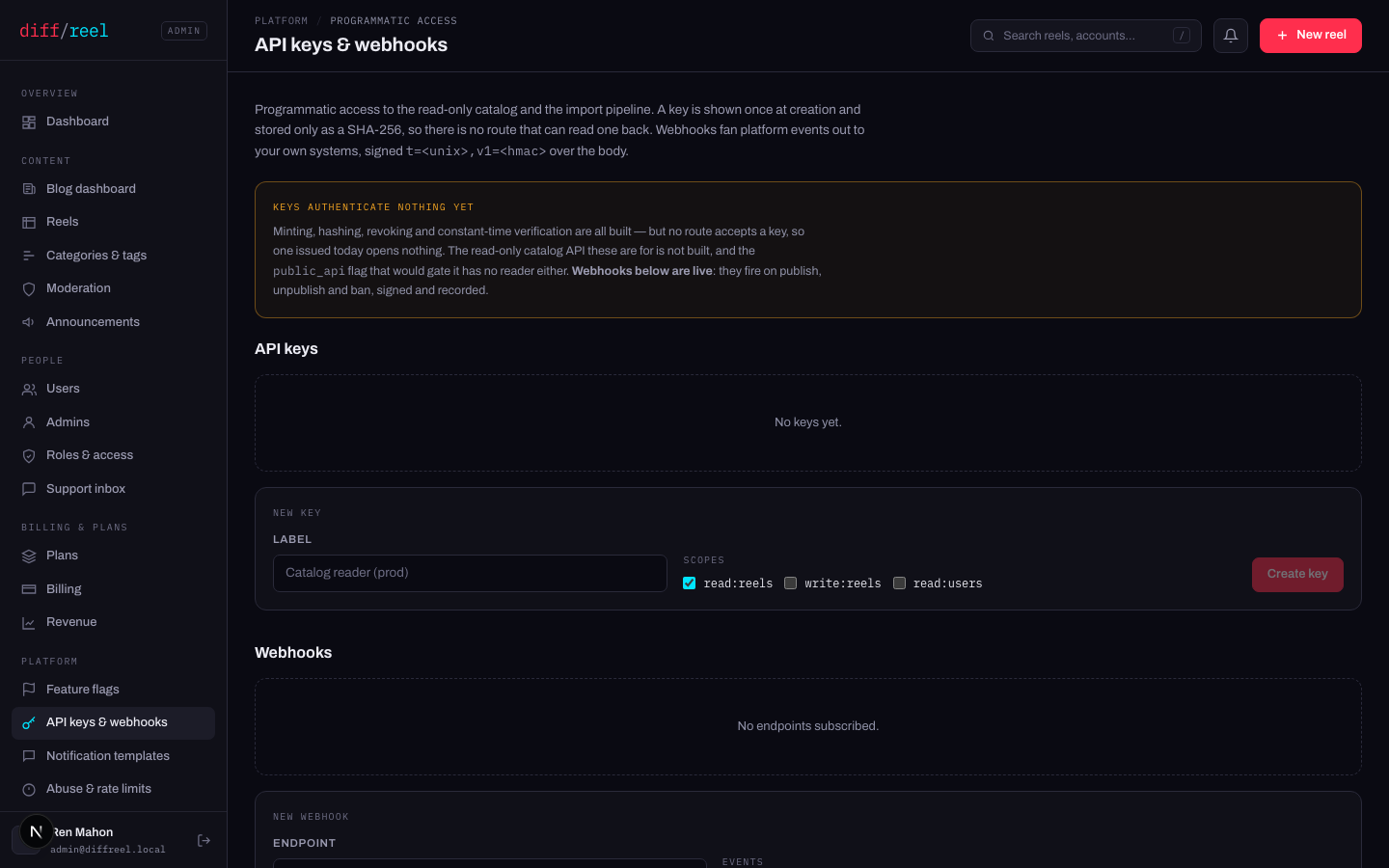
They fire on reel.published, reel.unpublished and user.banned, signed t=<unix>,v1=<hmac> over the body — Stripe's scheme, so every library that verifies webhooks already knows how to read it. Deliveries are recorded and can be inspected here.
- What changes
- A key is minted and shown once. Only a SHA-256 of it is stored, so there is no route that can read it back.
- Who sees it
- Whoever you give it to.
- When to do it
- Not yet, in practice — see above. When a route does accept keys, mint one per consumer so a revoke has a blast radius of one.
- How to undo it
- Revoke it. A lost key is not recoverable — mint a new one and revoke the old.
- What changes
- Every subscribed event is POSTed to that URL, signed, from now on.
- Who sees it
- Whoever operates the endpoint — and a wrong URL means publish events sent to a stranger.
- When to do it
- A system of yours needs to react to a publish, an unpublish or a ban.
- How to undo it
- Delete the endpoint. Deliveries already sent are already sent; rotate the secret if the URL was wrong.
Notification templates
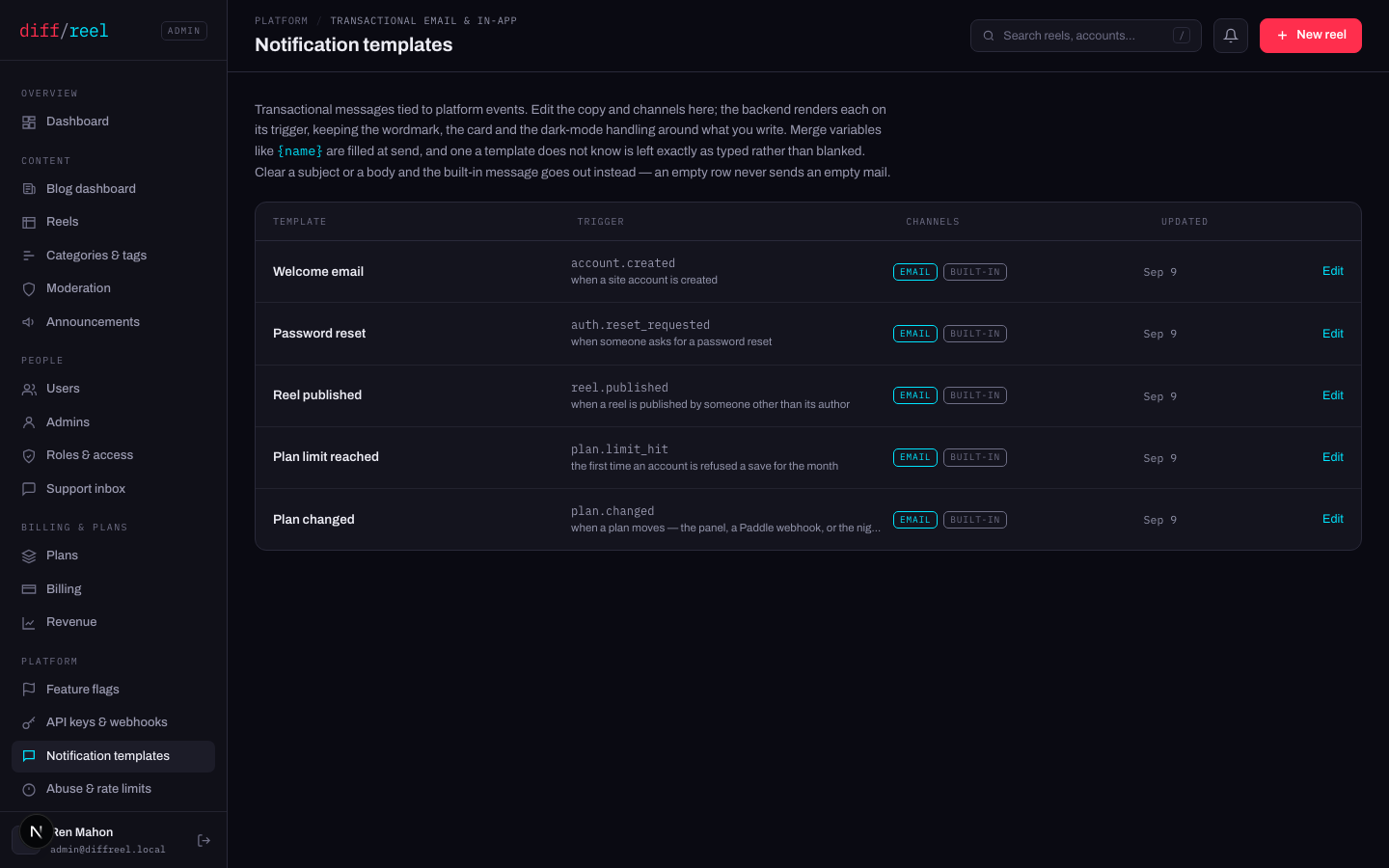
| Template | Fires when |
|---|---|
| Welcome email | A site account is created. |
| Password reset | Someone asks for a reset. |
| Reel published | A reel is published by somebody other than its author. |
| Plan limit reached | The first time an account is refused a save for the month. |
| Plan changed | A plan moves — the panel, a Paddle webhook, or the nightly sweep. |
A blank row is not a blank email. Each screen shows the built-in message as a read-only preview beside an empty box; typing in the box is what replaces it, and clearing the box puts the built-in back. A missing or unusable row always falls back to the code, so this screen cannot degrade a message to nothing.
What an edit replaces is the words, never the frame: the wordmark, the card, the dark-mode handling and the footer stay. Bodies are escaped and never interpreted — a template edited at 3am must not be able to produce broken HTML in somebody's inbox — with two conveniences: blank lines are paragraphs, and a URL alone on a line becomes a link. Merge variables like {name} are filled at send, and one a template does not know is left exactly as typed rather than blanked.
- What changes
- The words of every message that trigger sends from now on.
- Who sees it
- Every recipient of that message. These are the words strangers read first — the welcome mail is most people's second impression of the product.
- When to do it
- The copy is wrong, or the plan it describes has changed.
- How to undo it
- Clear the box. The built-in message comes back, which is a real undo and not an approximation of one.
The reset link exists nowhere else — not in this panel, not in a log. Turning that mail off would not quieten a notification; it would break password reset for the whole site. The panel disables the checkbox and says so rather than accepting the click and failing later.
Abuse and rate limits
- What changes
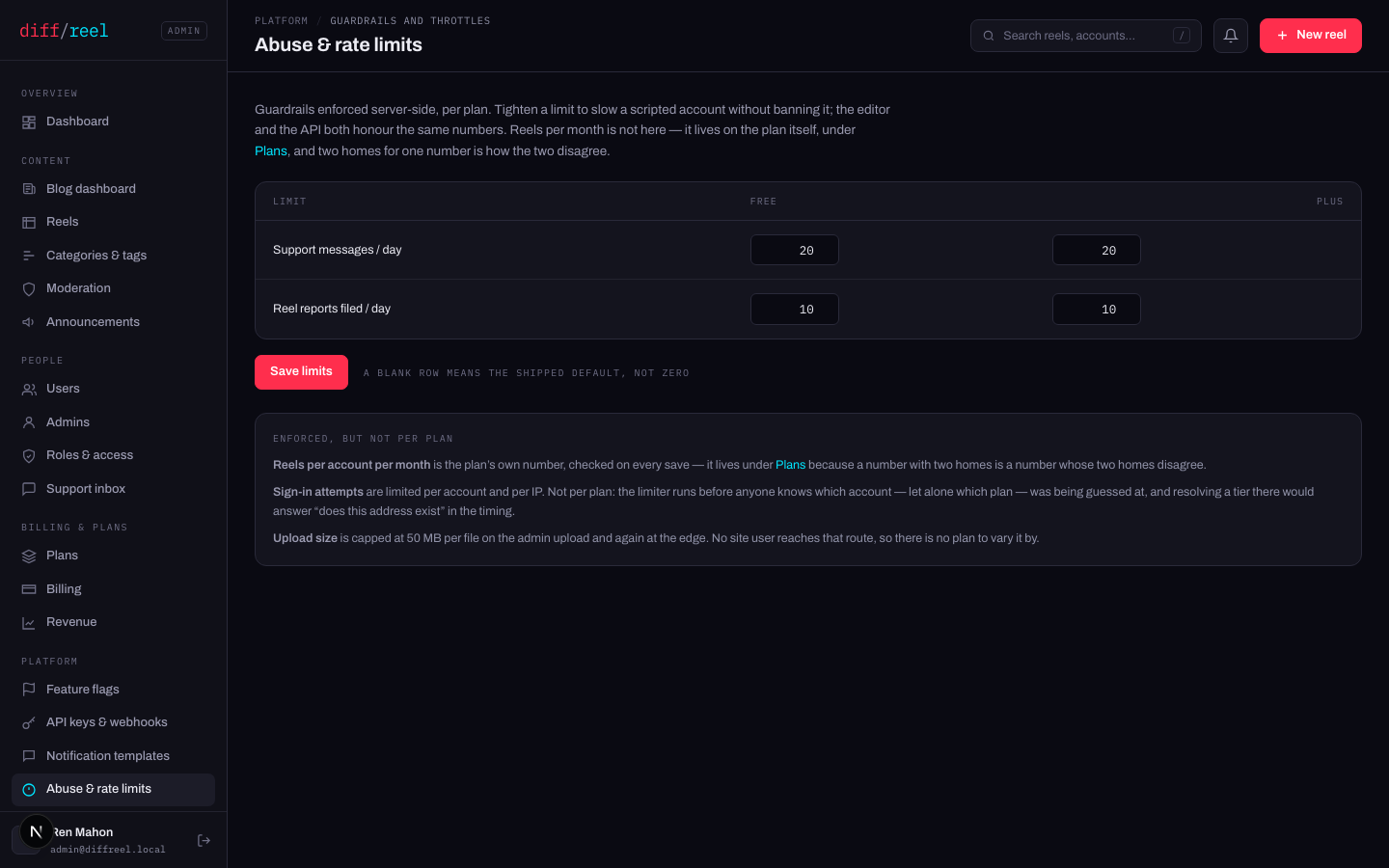
- The number the API enforces per plan, immediately. A blank row means the shipped default, not zero.
- Who sees it
- Anybody who hits it — as a refusal, with no explanation of the number.
- When to do it
- Slowing a scripted account without banning it. It is the gentler tool: a ban ends a person, a limit ends a script.
- How to undo it
- Type the old number back, or clear the row to return to the shipped default.
Three real limits are deliberately not on this screen:
- Reels per account per month is the plan's own number and lives on Plans — a number with two homes is a number whose two homes disagree.
- Sign-in attempts are limited before anyone knows which account, let alone which plan, was being guessed at. Resolving a plan there would answer “does this address exist” in the timing.
- Upload size is capped on the admin upload and again at the edge. No site user reaches that route, so there is no plan to vary it by.