How the panel works
The three rules that hold the whole thing together, what this handbook promises about every control, and where the numbers come from.
The shape of it
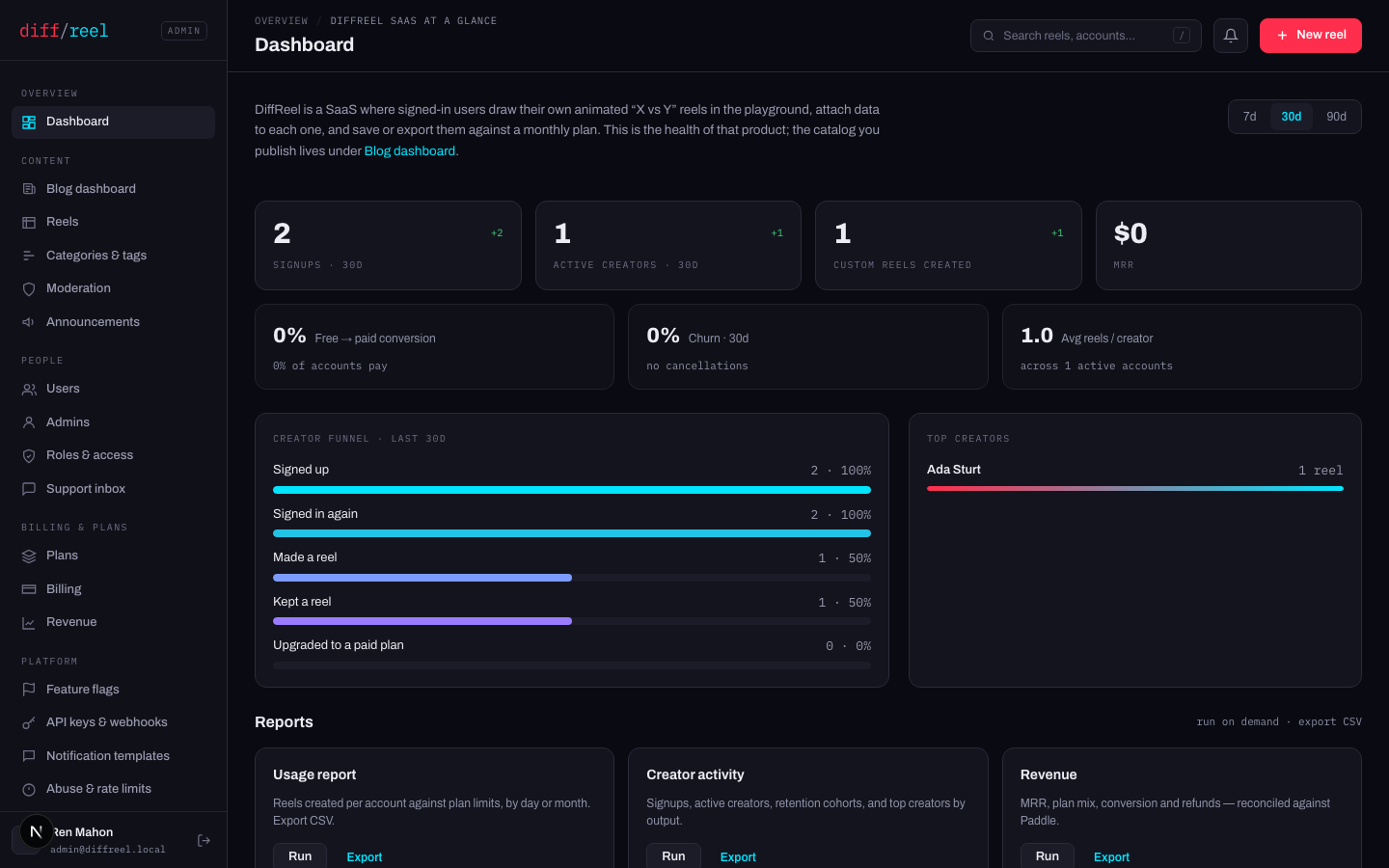
A sidebar in five groups, a sticky top bar with a breadcrumb, a global search and a New reel button. The nav is one table in the code, which also supplies the top bar's title and breadcrumb — three copies of “what is this screen called” is three chances for them to disagree.
The split at the top is deliberate: Dashboard answers how is the product doing, and Blog dashboard answers how is the blog doing. One screen trying to be both is a screen where the reels table buries the MRR.
Three rules
Every mutation is audited, by construction. A row is written for every successful non-GET request — not because a handler remembered to, but because it is a request. The table refuses UPDATE and DELETE at the database, so nothing here can rewrite history from inside the application. See Audit log.
Every gated route names a capability. Roles are code, not rows: a policy an operator can edit at 3am is a policy that can be edited into an outage. A role this build does not recognise answers no to everything rather than falling back to admin.
Nothing on the dashboard is a stored aggregate. MRR comes off the payments ledger rather than the price list, so a price row that was never synced against this environment cannot make the dashboard read $0.
How to read this handbook
Every control that changes something carries the same block. It is there so you can decide before you press it, and find the way back after:
- What changes
- The row, the flag or the file that moves, and what reads it afterwards.
- Who sees it
- Site users, other admins, search engines, or nobody.
- When to do it
- The situation the control exists for, and the ones it does not.
- How to undo it
- The exact way back. Where there is none, this row turns red and says so.
Four screens in this panel write a row that no service yet reads. They say so on themselves, and this handbook marks them the same way, in amber. A control that looks like it works and does not is the failure mode the whole panel is designed against — so they are labelled rather than hidden.